 DIGITAL
Remote concierge: how it works in practice, risks and contingency plan for buildings and businesses
When the internet drops at 8 PM and visitors keep arriving, how does remote concierge keep operations secure? This article explains how remote concierge works, the operational and technical measures to ensure continuity, common risks and a practical contingency checklist.
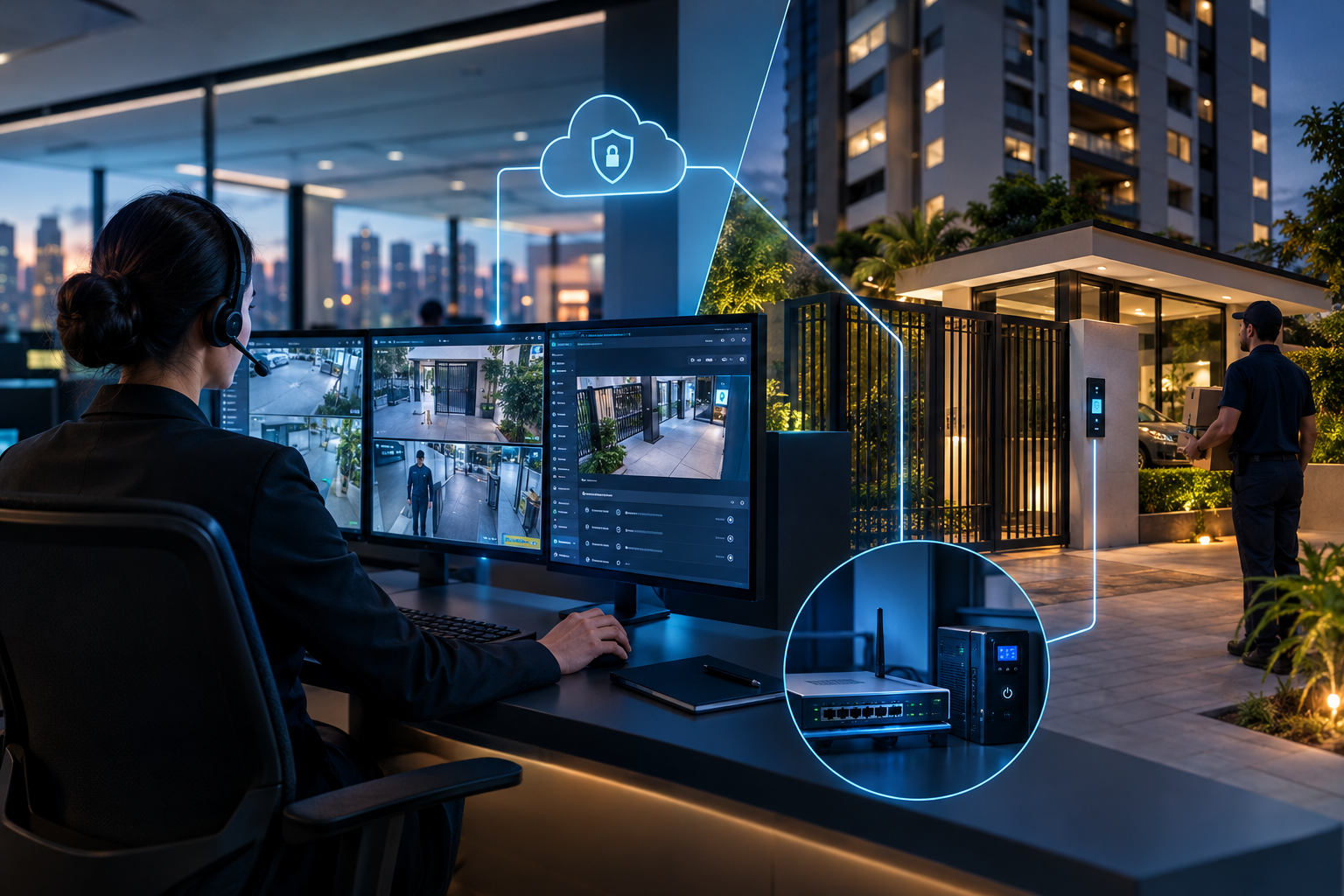
At 8:15 PM during a busy delivery window, the building's primary internet uplink goes down. Delivery drivers wait, tenants call for access, and the remote operator loses video and door-release commands. Without a clear contingency plan, staff improvises: a resident opens the gate manually, the property manager calls the ISP and the operator logs an incident. A well-designed remote concierge setup reduces improvisation and maintains operational control.
What remote concierge does and when it's appropriate
In short: remote concierge centralizes monitoring and access control through off-site operators or cloud services, integrating cameras, intercoms, door controllers and management software. It's appropriate when the goal is to centralize operational costs, standardize procedures and integrate building automation. It is not appropriate if the site lacks minimum connectivity, electrical redundancy and clear escalation processes.
Troubleshooting a typical incident: network outage at peak hours
Immediate symptoms are loss of video and command signals. Practical consequences: lines at the gate, risk of unauthorized entries if manual openings are not logged, increased calls to administration and escalation. A quick operational diagnosis should classify the fault as local device failure (switch, controller, camera), building backbone failure (central switch or router), ISP outage, or unavailability of the vendor's cloud service.
Minimal architecture: hardware, connectivity and redundancy
Hardware and connectivity must support basic operation and contingency modes:
- Local door controller capable of manual opening and priority logic; even in remote solutions, a local release mode is essential.
- Cameras with redundant power and local recording (buffer) to preserve evidence when transmission is lost.
- Intercom using SIP or alternative allowing fallback to PSTN or mobile if VoIP fails.
- Router with failover supporting multiple links (fiber + 4G/5G) to reduce total connectivity loss risk.
- Uninterruptible Power Supplies (UPS) and electrical protection for controllers, critical cameras and network gear.
- Network segmentation to isolate building automation traffic from tenant traffic, reducing failure surface and security exposure.
The presence of local recording (edge buffer) and physical ports for local release determines whether a building can operate in degraded mode without external help.
Processes, roles and responsibilities: who does what in each failure
Governance must define responsibilities before incidents occur. Typical roles to formalize in contract and SOP are:
- Remote operator: monitors, performs remote releases when possible, logs incidents and triggers technical escalation according to the flowchart.
- Building/property management: ensures physical access for manual release, manages tenant credentials, defines communication routines and authorizes exceptions during contingency.
- Integrator/vendor: responsible for equipment maintenance, firmware updates and availability of the remote service layer; provides recovery procedures and escalated technical support.
Without clear assignment, questions like "who opens the gate if the controller fails?" remain unanswered — this should be explicit in the SLA and contingency checklist.
Main risks and mitigation measures
Key operational risks and practical mitigations:
- Network failure: mitigate with secondary link (4G/5G), router failover and routing rules that prioritize control traffic.
- Power outage: UPS sized to support controllers and critical cameras long enough for safe transition; planned tie-in to building generator if available.
- Camera/controller failure: preventive maintenance, health monitoring (SNMP or agent) and a minimal spare parts stock for rapid replacement.
- Data protection and privacy: encrypted traffic, retention policies and access control; contractual clarity on logs and official data requests.
Actionable contingency checklist
Use this checklist as a baseline and adapt it to your site. Each item should be actionable with an owner and a target response time (set in contract):
- Classify the incident: total connectivity loss, partial loss (video only), or device failure. (Owner: remote operator)
- Check router health and force failover to secondary link if needed. (Owner: integrator/vendor)
- Activate local recording and export the last buffer for diagnosis. (Owner: integrator)
- Notify property management and enable local manual release procedures if pre-authorized. (Owner: building management)
- Open ticket with the ISP and provide logs and timestamps. (Owner: integrator/vendor)
- Log the incident and inform tenants about the temporary procedure and expected resolution. (Owner: property manager)
- Conduct a post-mortem to identify root cause and update the contingency plan. (Owner: all parties)
Operational decision flow (descriptive)
Practical flow for teams: 1) detect and categorize the fault; 2) perform quick checks (router, power, local device); 3) activate automatic/manual failover; 4) if unresolved, switch to authorized local mode with recorded manual releases; 5) open technical ticket and communicate to users. Print this flow in the concierge area and make it available to the remote operator.
SLA model and minimum contractual responsibilities
An effective SLA combines technical availability and operational obligations. Essential clauses include:
- Definition of remote service availability and required on-site redundancies.
- Integrator responsibilities for updates, preventive maintenance and hardware replacement.
- Building responsibilities for power, physical access and approval of local contingency procedures.
- Escalation process and emergency contacts for out-of-hours events.
- Rules for evidence preservation and access to logs upon formal request.
An SLA does not replace the building's internal operating procedures — it complements them with technical obligations and target response times.
Vendor and integrator selection criteria
When evaluating providers, favor those demonstrating capability to operate in degraded modes and coordinate contingencies:
- Support for failover models (secondary link, local recording).
- Clarity in contractual responsibilities among provider, integrator and building.
- Documented contingency procedures and preventive maintenance policies.
- Ability to integrate with existing systems — use API and integration options to assess compatibility. For more technical integration mapping, visit the solution pages at the provider.
- Transparent incident logs and reporting capability.
Phased deployment example and success metrics
Deploy in phases: 1) infrastructure assessment and minimum requirements; 2) pilot at a single access point with failover testing; 3) scale area by area, refining procedures; 4) full operation with quarterly contingency reviews. Suggested metrics: mean time to detect a fault, mean time to restore remote operation, count of manual releases per month, and compliance with the contingency checklist.
Frequently asked operational questions
Does remote concierge fully replace on-site personnel?
Not always. Remote concierge can reduce on-site staff needs and standardize service, but doesn't remove local responsibilities related to physical interventions during hardware or power failures. A full replacement requires risk acceptance and formal contingency agreements by the building.
What happens on power or internet outage?
On internet outage, the preferred behavior is to fail to a safe local mode — controlled manual releases and active local recording. On power outage, UPS equipment should maintain critical control systems long enough for safe transition. These behaviors depend on local design and contractual responsibilities.
How does integration with video and door control systems work?
Integration links cameras, controllers and intercoms to the remote operation software. Architecture should include local video buffers, redundant signaling paths for critical commands and auditable logs. For technical integration mapping, consult the provider's integration options or request a technical assessment.
What remote concierge solves and what it does not replace
Solves: centralized operation, standardized access logging and ability to scale operators for peaks without adding significant local staff. Does not replace: basic physical infrastructure (power, redundant links), local administrative decisions on permissions, or the need for a documented plan for physical intervention when electronics fail.
If your priority is to avoid improvisation during outages, start with a technical site assessment that maps your network, power, controllers and cameras. Contact Digital via http://localhost:4569 to schedule a technical assessment to map contingencies and remote concierge requirements for your site.